Feature #8437
closedCustomer list with search + pagination
100%
Description
A page that shows all customers.
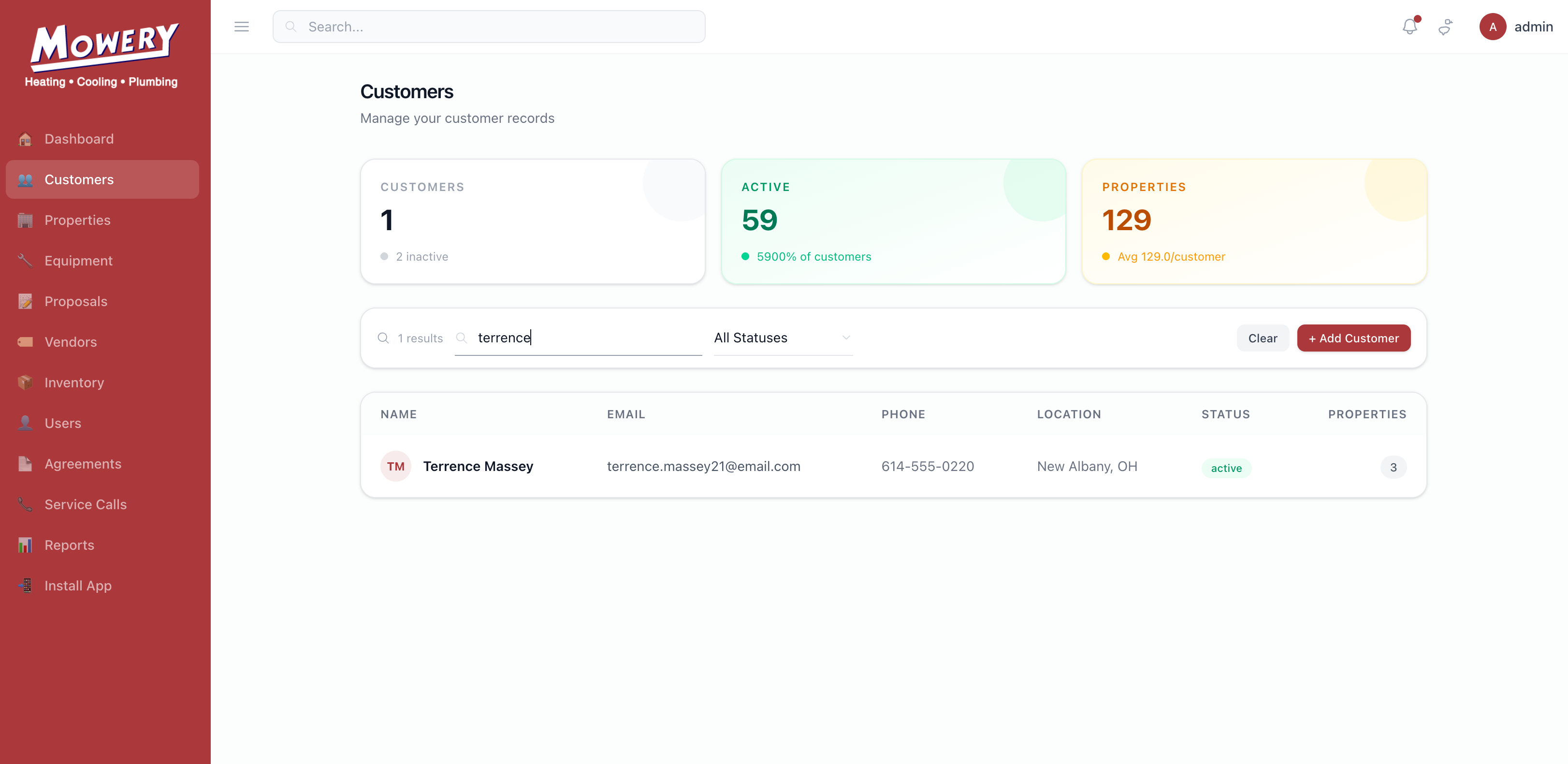
Search box filters by name, email, or phone.
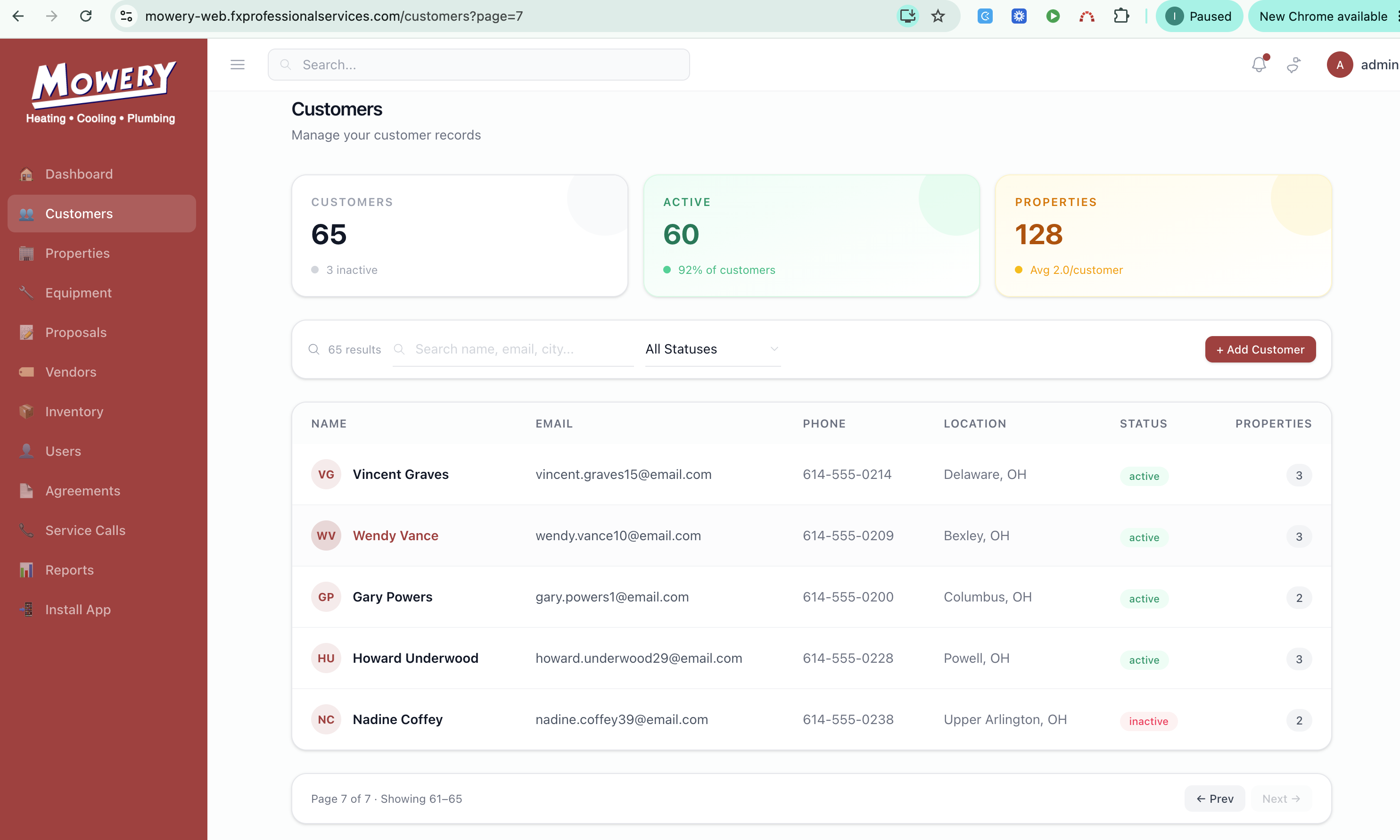
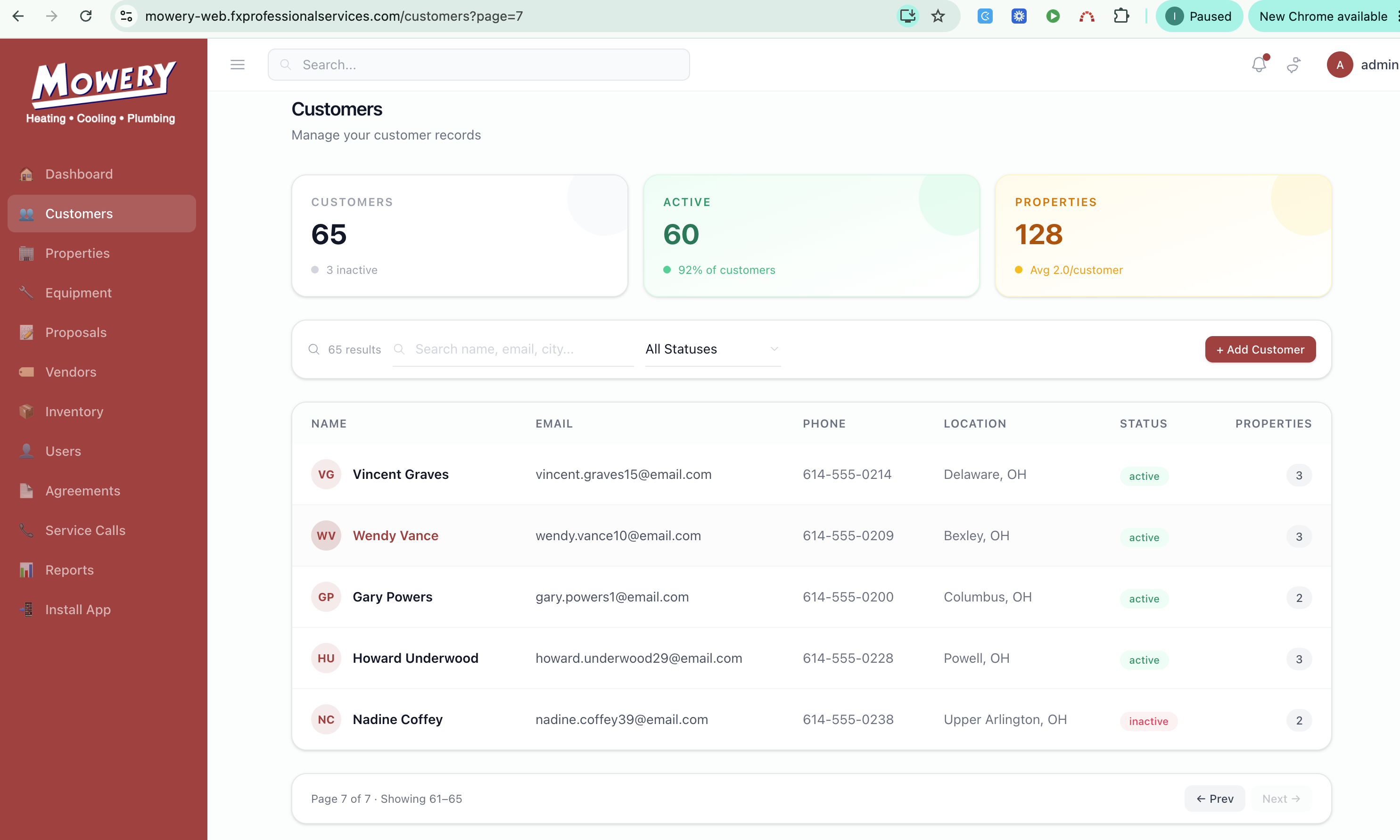
Pagination: "Showing A–B / Page X of Y" with Prev/Next.
Rows show name, email, phone, location, property count, status badge.
Clicking a records directs to customer detail page
Files
BS Updated by Brian Jay Sio 25 days ago
- Target version set to Version 1.0 — Customers, Properties, Equipment
RM Updated by Richard Madamag 18 days ago
- Status changed from To Do to In Progress
RM Updated by Richard Madamag 18 days ago
added filter by status, search bar
added pagination
RM Updated by Richard Madamag 18 days ago · Edited
create customer list page with cards
added rows with customer basic details
navigate to customer detail page when clicking a record
RM Updated by Richard Madamag 18 days ago
- Status changed from In Progress to UAT
RM Updated by Richard Madamag 18 days ago
- Status changed from UAT to On Hold
RM Updated by Richard Madamag 18 days ago
- Status changed from On Hold to UAT
RM Updated by Richard Madamag 18 days ago
- % Done changed from 0 to 100
RM Updated by Richard Madamag 15 days ago
Testing Steps:
Searching
- Go to Customer module in the sidebar
- Try to search in the search field by name, email or phone
- It will filter the list
Pagination
- Observe if it shows "Showing A–B / Page X of Y" with Prev/Next.
Navigation
- Click any records in the list
- It must go Customer details
JL Updated by Joy Llenos 15 days ago · Edited
- File Screen Recording 2026-10-01 at 5.47.06 PM.mov added
- File Screenshot 2026-10-01 at 5.42.00 PM.png Screenshot 2026-10-01 at 5.42.00 PM.png added
QA' this ticket,
Tried to search a customer's name in the search bar and it work well based on the searching testing steps. Please see attached photos and video.
Also noticed that after looking into the details of the customer I have search, the only way to go back to the customer module is by clicking the "Customer" in the side bar.
Though, I have observed that under the search bar, there is a list of customers. It was noted that there are 66 customers added in the app, but it will only show the first 7 customers even if I clicked "Next" multiple times. @Richard Madamag @Brian Jay Sio this might be a hotfix.
IQ Updated by Irish Quilla 9 days ago · Edited
- File clipboard-202610071858-pjsun.png clipboard-202610071858-pjsun.png added
- File clipboard-202610071858-1ertt.png clipboard-202610071858-1ertt.png added
- File deleted (
Screen Recording 2026-10-01 at 5.47.06 PM.mov)
Hi Richard and Brian, this issue has been resolved. Users can now navigate through all 66 customers using the Next button.

IQ Updated by Irish Quilla 9 days ago
- Status changed from UAT to Complete