Feature #8440
closedCustomer status
100%
Description
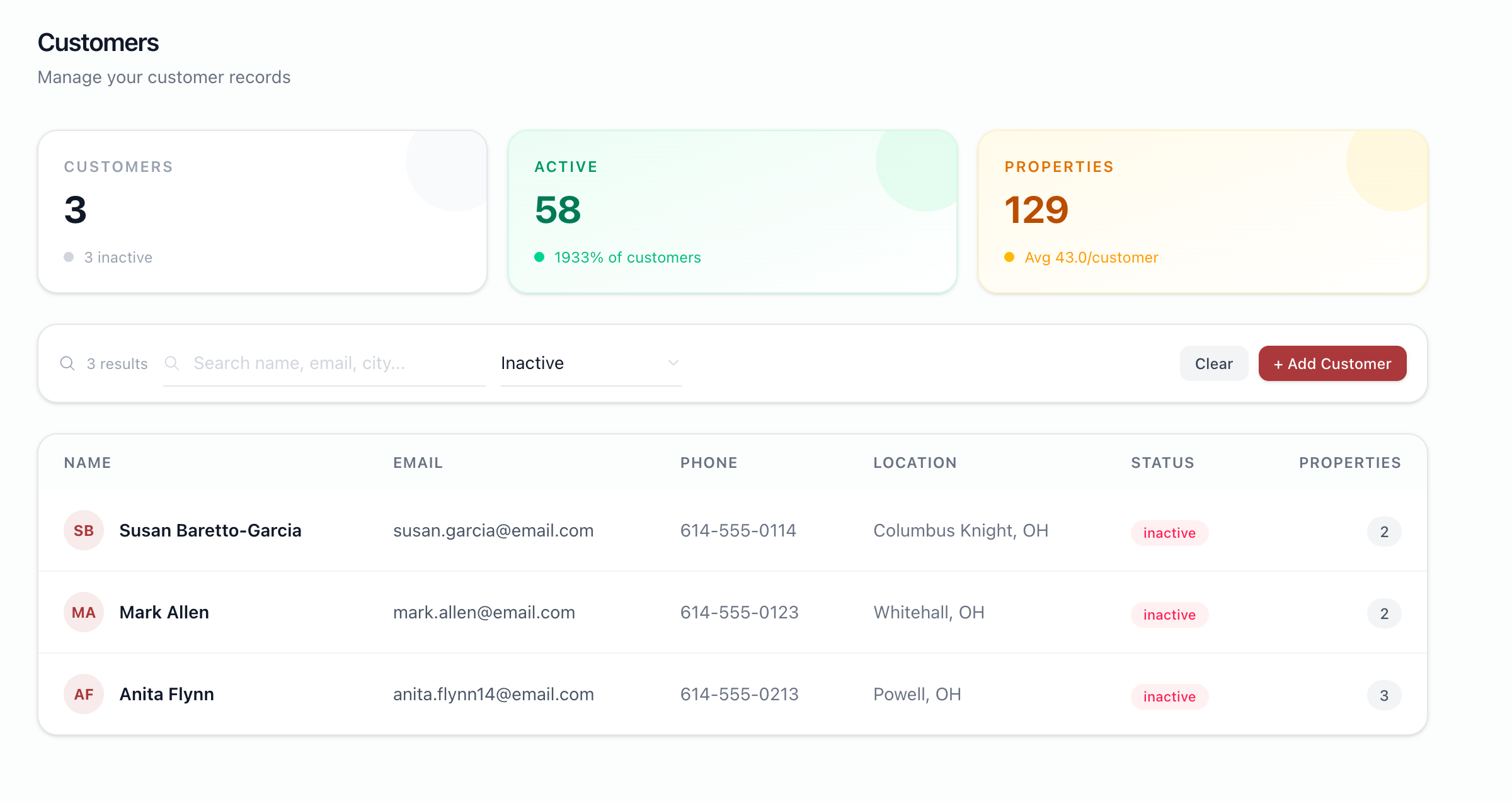
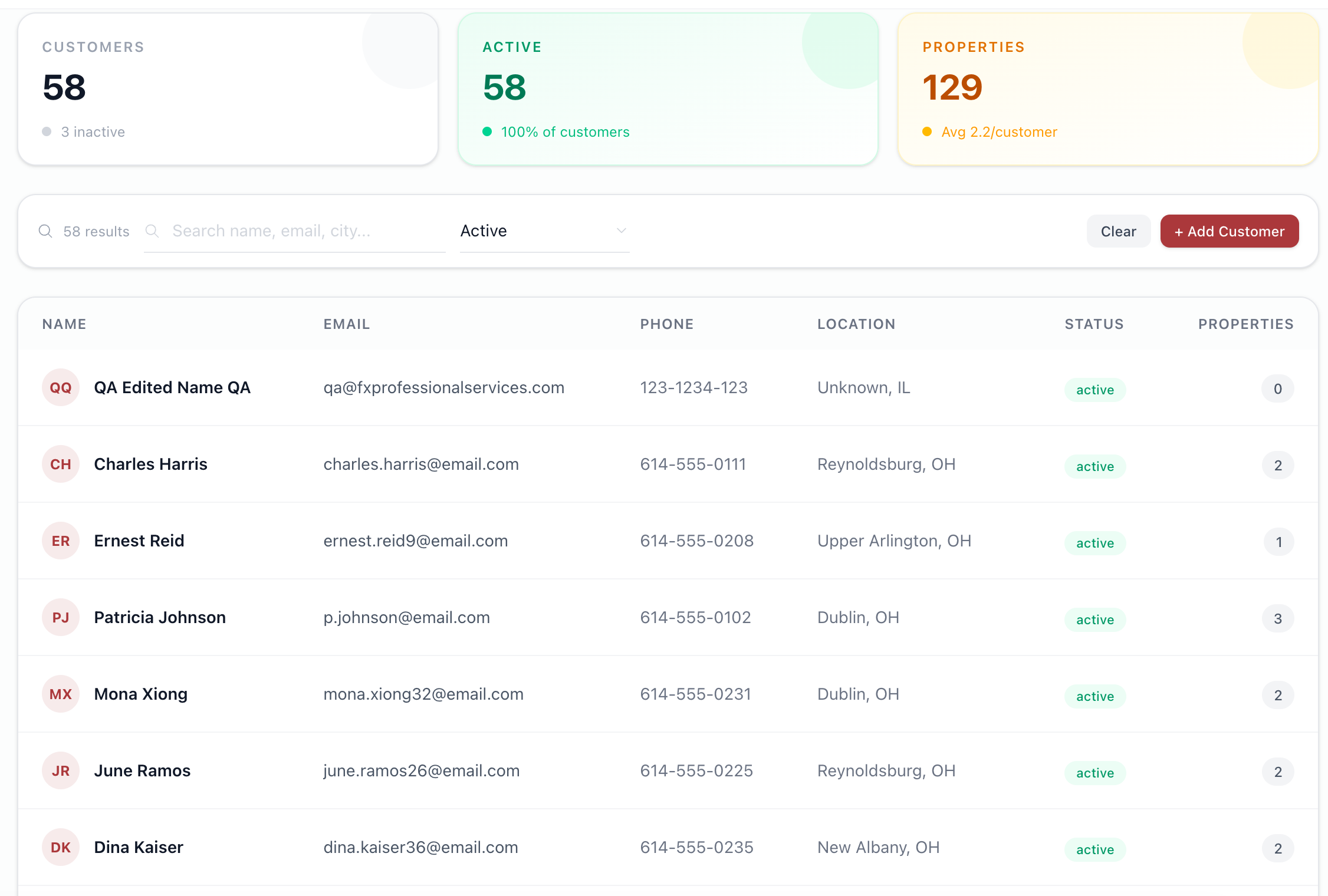
Customer can be marked active or inactive
Status
Green - Active
Red - Inactive
Files

BS Updated by Brian Jay Sio 25 days ago
- Target version set to Version 1.0 — Customers, Properties, Equipment
RM Updated by Richard Madamag 18 days ago
- Status changed from To Do to In Progress
RM Updated by Richard Madamag 18 days ago
- Status changed from In Progress to UAT
- % Done changed from 0 to 100
RM Updated by Richard Madamag 18 days ago
added active and inactive via edit customer
green - active
red - inactive
JL Updated by Joy Llenos 15 days ago
- File Screenshot 2026-10-01 at 6.27.54 PM.png Screenshot 2026-10-01 at 6.27.54 PM.png added
- File Screenshot 2026-10-01 at 6.28.14 PM.png Screenshot 2026-10-01 at 6.28.14 PM.png added
- File Screenshot 2026-10-01 at 6.30.09 PM.png Screenshot 2026-10-01 at 6.30.09 PM.png added
- File Screenshot 2026-10-01 at 6.31.49 PM.png Screenshot 2026-10-01 at 6.31.49 PM.png added
- File Screen Recording 2026-10-01 at 6.35.06 PM.mov Screen Recording 2026-10-01 at 6.35.06 PM.mov added
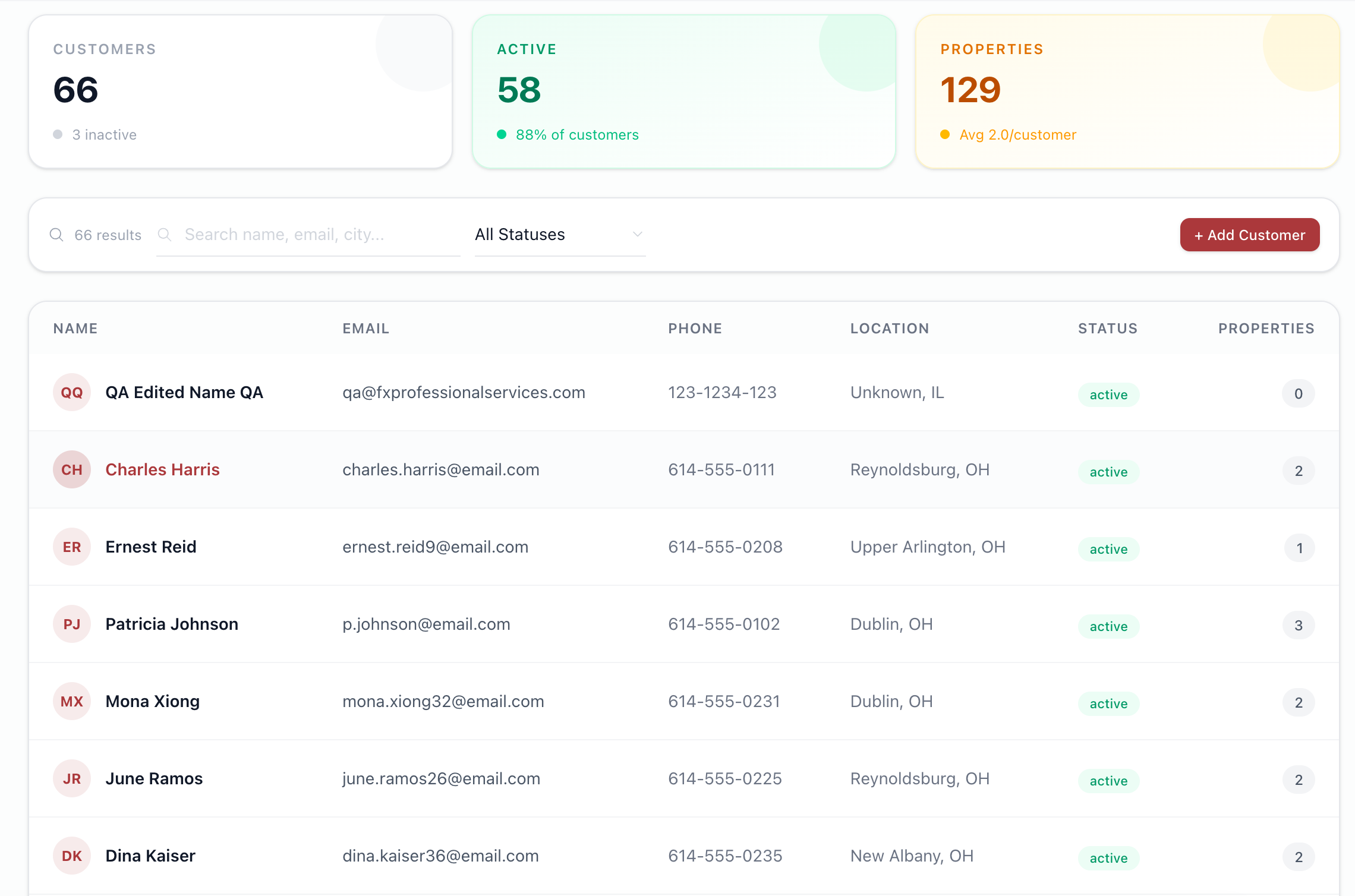
Confirming that the user can now see the customer's status.
Green for Active
Red for Inactive
Also notice that ther are Gray- lead.
Sir @Richard Madamag and Sir @Brian Jay Sio what does 'lead' means po? I also cannot view its customer's overview after clicking its name. (Please see the recorded video foryour reference.
Please see attached photos for this.
RM Updated by Richard Madamag 15 days ago
Testing Steps:
- Go to Customer page in the sidebar
- Click any record in the list
- It will go to Customer Details
- click the 'Edit Customer' button
- Go to Status and check if you can edit and update the status to Active and Inactive
JL Updated by Joy Llenos 11 days ago
- File Screen Recording 2026-10-05 at 5.21.52 PM.mov Screen Recording 2026-10-05 at 5.21.52 PM.mov added
- Status changed from UAT to Complete
QA'd this,
Confirmed that the user can customer's status upon clicking the 'edit' customer's details.
Also, answered the question on the gray colored- lead status means that the customer is not labeled between Active or inactive.
Please see QA video for reference.
JL Updated by Joy Llenos 10 days ago
- Status changed from Complete to To Release
JL Updated by Joy Llenos 10 days ago
- Status changed from To Release to Complete