Feature #8465
closedDispatch board (kanban by technician)
100%
Description
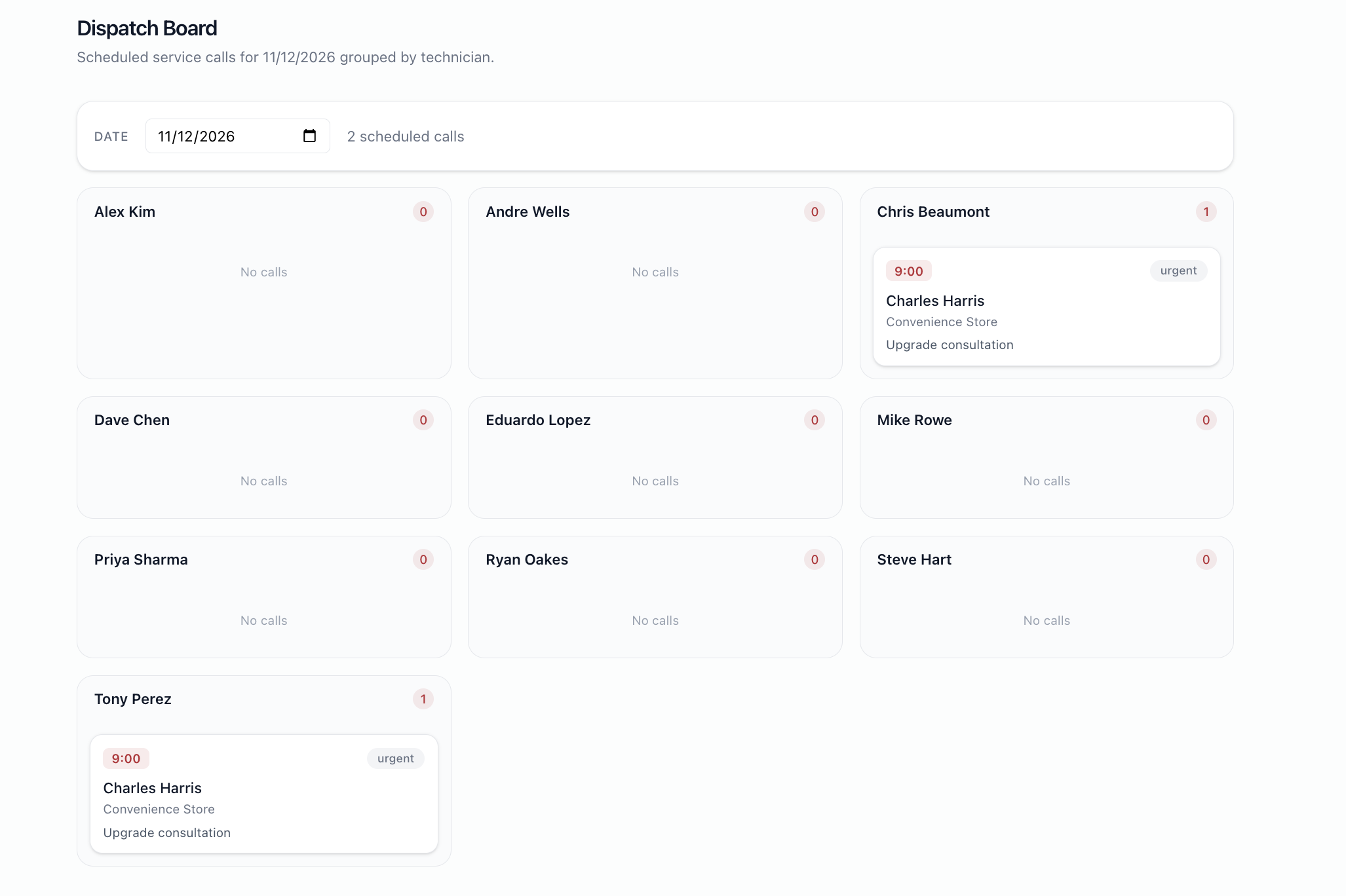
Columns = each technician. Cards = service calls scheduled for a chosen date (default today). Drag/click a card to view the job. Date filter at top.
Files
BS Updated by Brian Jay Sio 25 days ago
- Target version set to Version 3.0 — Service Calls, Service Agreement
BS Updated by Brian Jay Sio 15 days ago
- Status changed from To Do to UAT
- % Done changed from 0 to 100
Testing Steps:
- Go to https://mowery-web.fxprofessionalservices.com/
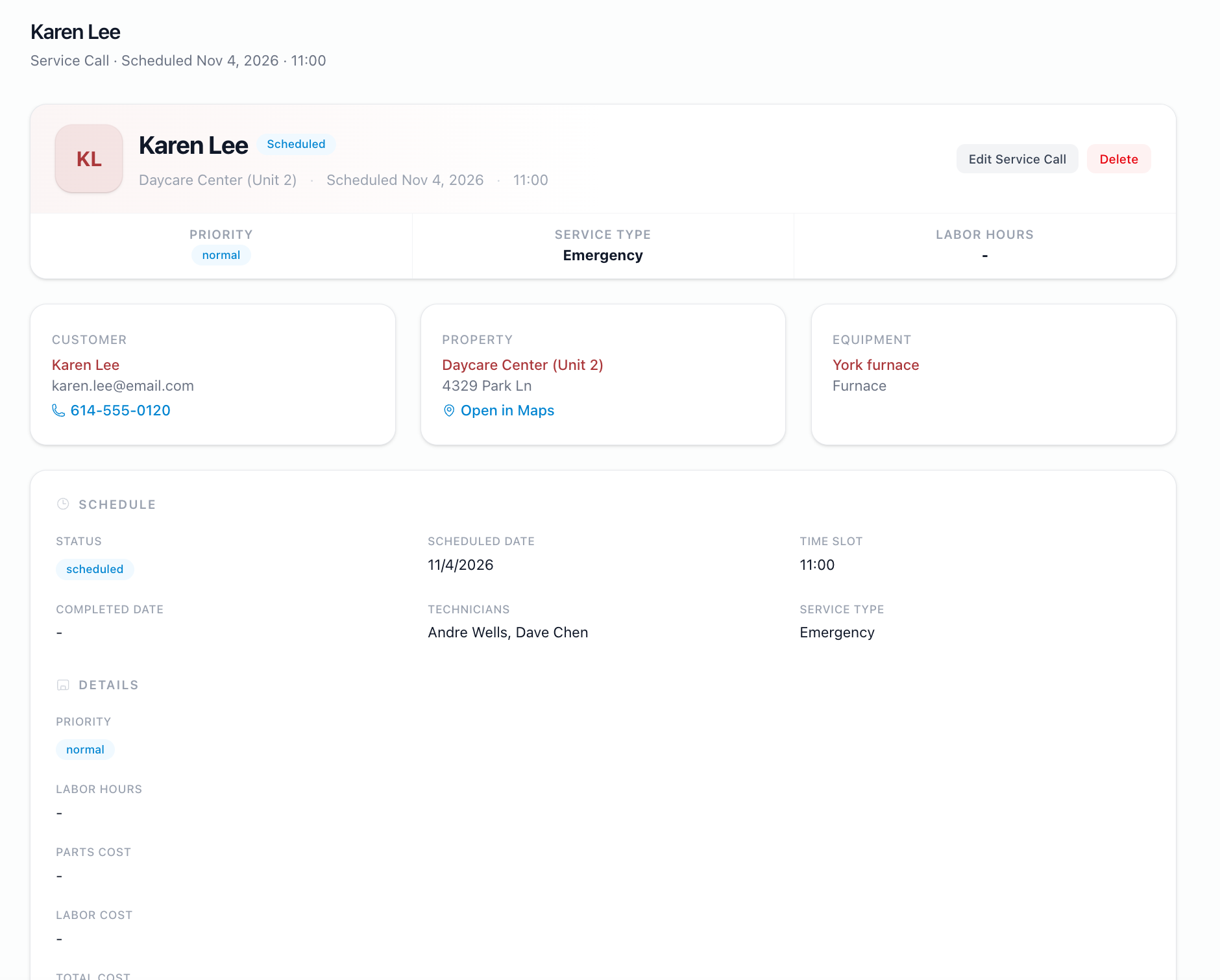
- Go to Service Calls
- Click Dispatch Board
- You will see a dispatch board with date filters and technicians list
- It will reflect via cards if there are service call scheduled for them.
Acceptance Criteria:
- Dispatch board filters works properly
- Clicking service call goes to the record
IQ Updated by Irish Quilla 8 days ago
- Status changed from UAT to QA
JL Updated by Joy Llenos 7 days ago
- File Screenshot 2026-10-09 at 6.06.55 PM.png Screenshot 2026-10-09 at 6.06.55 PM.png added
- File Screen Recording 2026-10-09 at 6.11.49 PM.mov Screen Recording 2026-10-09 at 6.11.49 PM.mov added
QA'd this:
I can see the dispatch board, it can also filter by the date. Upon clicking the techinician, it will show the card and details of the service call.
But it does not filter by technician but it shows the names of the technicians that has active service call.
BS Updated by Brian Jay Sio 7 days ago
Hello,
Thank you. The behavior of the Dispatch board is to show technicians who have active service calls based on the filter date.
JL Updated by Joy Llenos 3 days ago
- File Screen Recording 2026-10-13 at 5.33.09 PM.mov Screen Recording 2026-10-13 at 5.33.09 PM.mov added
- File Screenshot 2026-10-13 at 5.32.00 PM.png Screenshot 2026-10-13 at 5.32.00 PM.png added
- Status changed from QA to Complete
THis is to confirm that the user can search active serivice calls by date. When user click an active service call, the user can see the details of the service call .
Please see attached screenshot and qa video.