Actions
Feature #8445
closed
BS
RM
Equipment create/edit forms
Feature #8445:
Equipment create/edit forms
Status:
Complete
Priority:
Normal
Assignee:
Target version:
Start date:
09/21/2026
Due date:
% Done:
100%
Estimated time:
Description
Allows to add a equipment to a property and customer
Files
BS Updated by Brian Jay Sio 25 days ago
- Target version set to Version 1.0 — Customers, Properties, Equipment
RM Updated by Richard Madamag 18 days ago
- Status changed from To Do to In Progress
RM Updated by Richard Madamag 16 days ago
- Status changed from In Progress to UAT
- % Done changed from 0 to 100
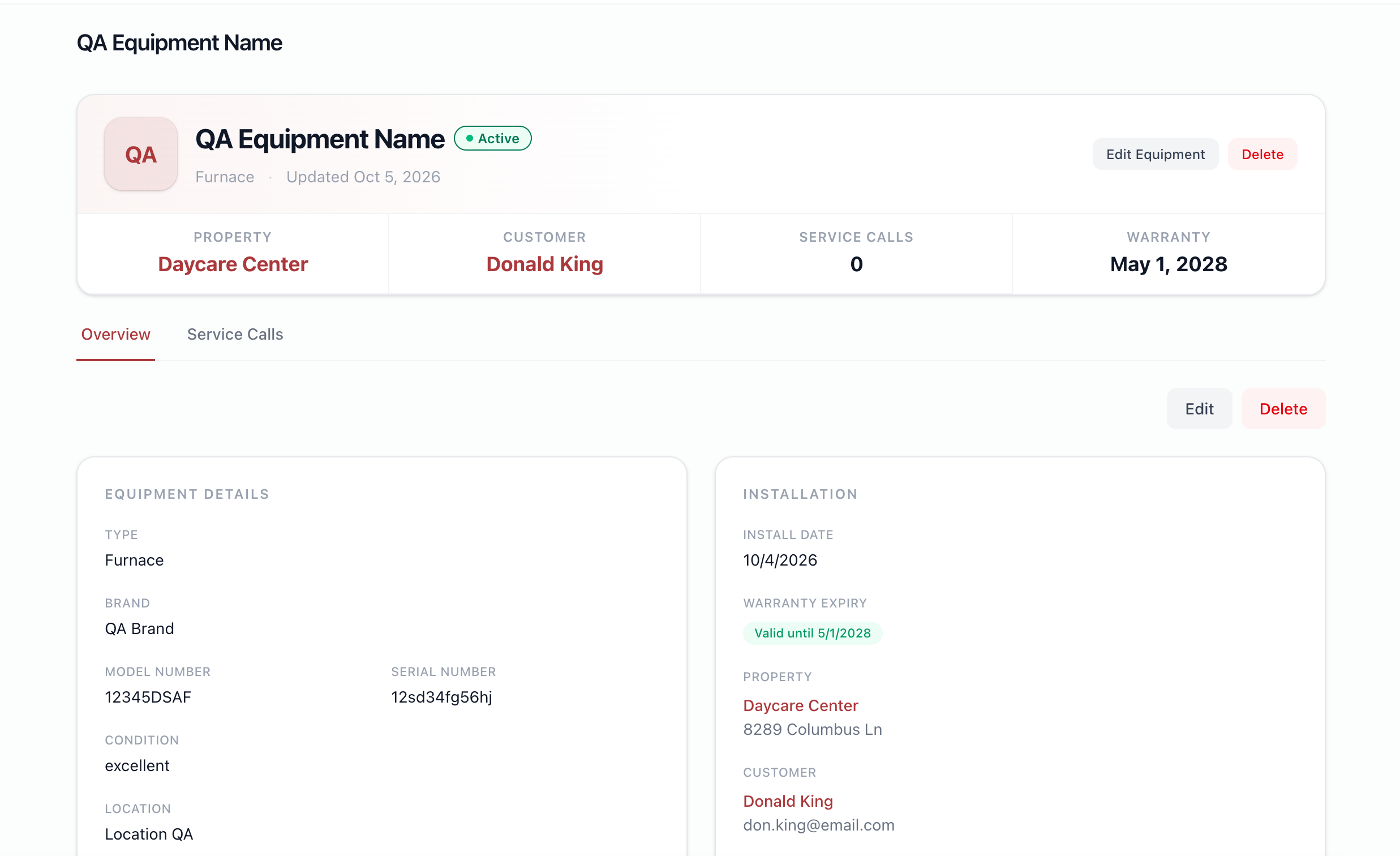
Equipment module now uses full-page forms for add and edit instead of popup modals. Detail page gained Edit and Delete buttons. Also fixed a date display bug and improved error handling when loading properties.
RM Updated by Richard Madamag 15 days ago
Testing Steps:
Create Equipments
- Go to Equipments navigation in Side bar
- Click 'Add Equipments' button
- Fill out all fields
- Click 'Save Changes'
Edit Equipments
- Go to Equipments navigation in Side bar
- Click any records in the list, it will go to the Equipments details
- Click 'Edit Equipments'
- Try to change any values in the fields
- Click 'Save Changes'
JL Updated by Joy Llenos 11 days ago
- File Screen Recording 2026-10-05 at 6.50.40 PM.mov Screen Recording 2026-10-05 at 6.50.40 PM.mov added
- File Screenshot 2026-10-05 at 6.58.42 PM.png Screenshot 2026-10-05 at 6.58.42 PM.png added
- Status changed from UAT to Complete
QA'd this,
Confirmed that from the navigation in the side bar, user can add equipment upon clicking the "Add Equipment" button. After filling all the details, I did change some of its details and it still saved after clicking "Save changes".
There are 2 "edit" buttons in the equipment page. Please see attached QA video and screenshot.
JL Updated by Joy Llenos 10 days ago
- Status changed from Complete to To Release
JL Updated by Joy Llenos 10 days ago
- Status changed from To Release to Complete
Actions