Actions
Feature #8459
closed
BS
BS
Service Agreement create/edit forms
Feature #8459:
Service Agreement create/edit forms
Status:
Complete
Priority:
Normal
Assignee:
Target version:
Start date:
09/21/2026
Due date:
% Done:
100%
Estimated time:
Description
Agreement number should be auto-generated or validated unique. Price uses currency/Decimal formatting.
Files
BS Updated by Brian Jay Sio 15 days ago
- Status changed from To Do to UAT
- % Done changed from 0 to 100
Testing Steps:
- Go to https://mowery-web.fxprofessionalservices.com/
- Click Service Agreements
- Click Add Agreement
- Select Customer
- Select property from the selected customer, property won't populate when there is no customer selected
- Equipment will populate based on the property selected
- Fill-out the rest of the form like warranty date start and end and status of warranty
- Add Agreement
Acceptance Criteria:
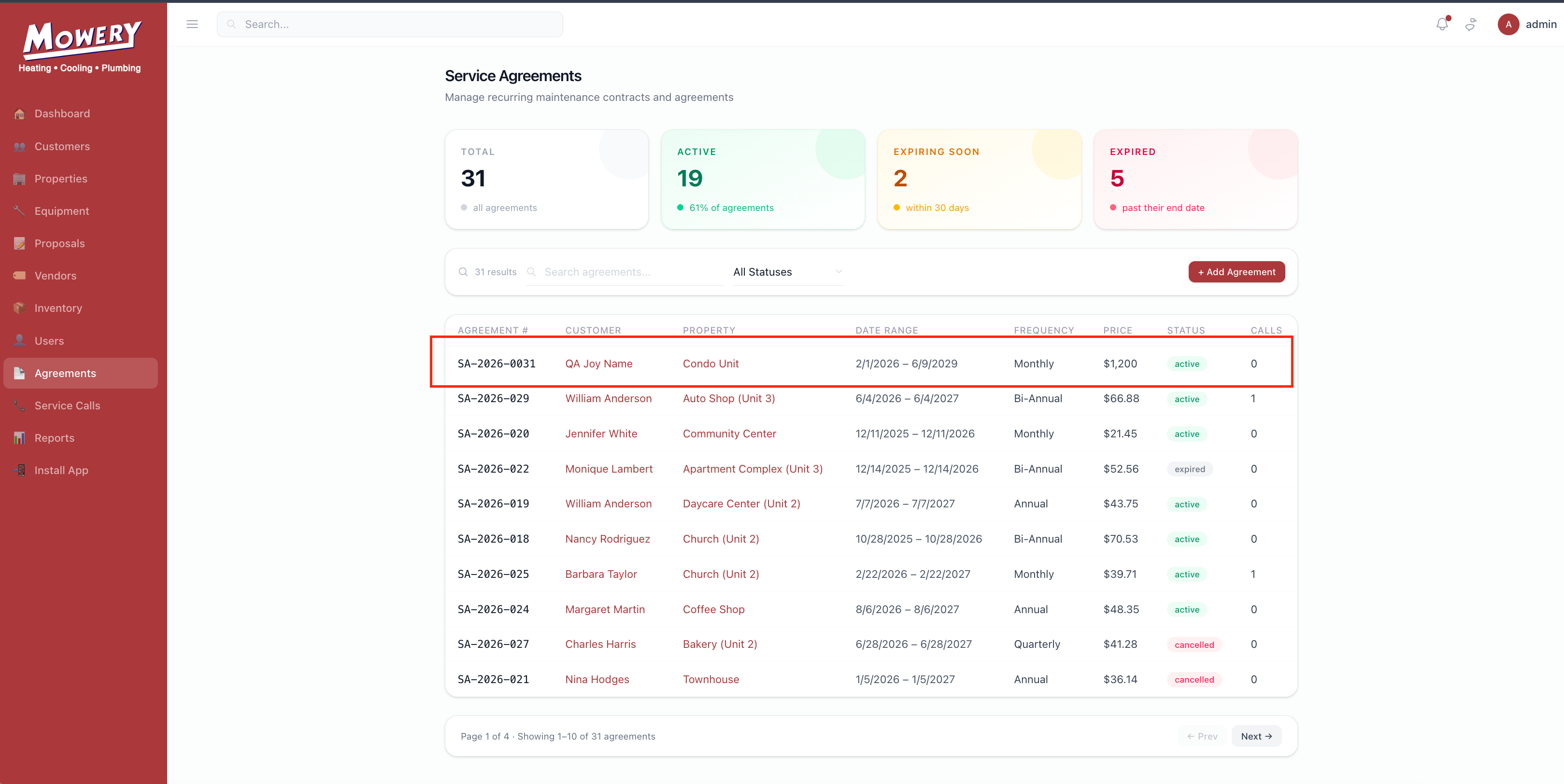
- Service Agreement will be created and available on the list.
IQ Updated by Irish Quilla 8 days ago
- Status changed from UAT to QA
JL Updated by Joy Llenos 7 days ago
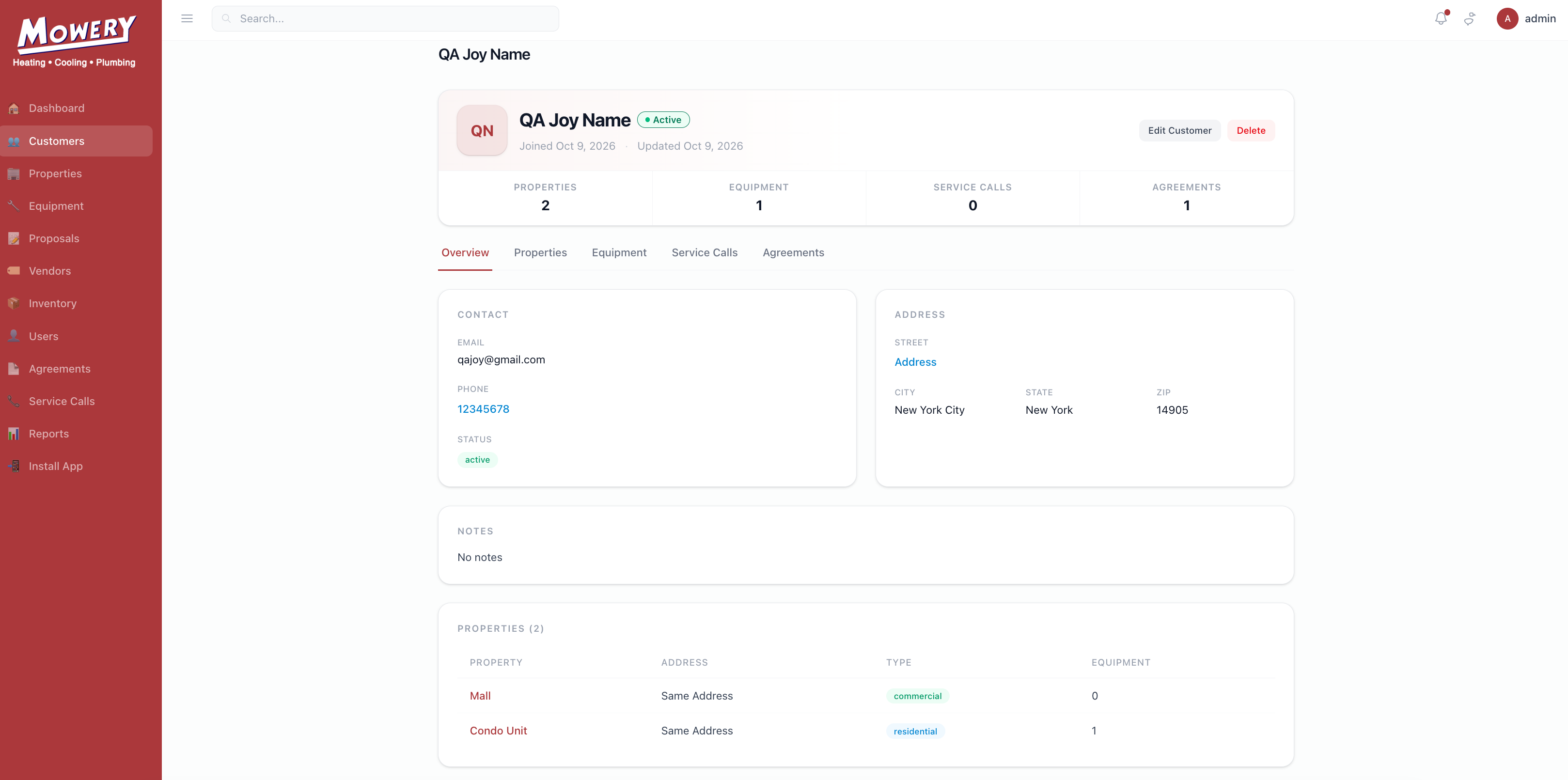
- File Screenshot 2026-10-09 at 5.17.25 PM.png Screenshot 2026-10-09 at 5.17.25 PM.png added
- File Screenshot 2026-10-09 at 5.27.12 PM.png Screenshot 2026-10-09 at 5.27.12 PM.png added
- Status changed from QA to Complete
QA's this and everything is working well.
I was able to create an agreement and even if I edited the equipments and proporties after creating the service agreement- the added information automatically populate in the SA.
Please see attached screenshots.
Actions