Actions
Feature #8462
closed
BS
BS
Service call create/edit forms
Feature #8462:
Service call create/edit forms
Status:
Complete
Priority:
Normal
Assignee:
Target version:
Start date:
09/21/2026
Due date:
% Done:
100%
Estimated time:
Description
Pick customer+property (pre-fills related options). Auto-fill equipment at that property and the customer's latest active agreement (with a warning if none). Save → redirect to detail.
Files
BS Updated by Brian Jay Sio 25 days ago
- Target version set to Version 3.0 — Service Calls, Service Agreement
BS Updated by Brian Jay Sio 15 days ago
- Status changed from To Do to UAT
- % Done changed from 0 to 100
Testing Steps:
- Go to https://mowery-web.fxprofessionalservices.com/
- Go to Service Calls
- Click Create Service Call
- Fill-out the necessary fields
- Click Create Service Call
Acceptance Criteria
- Service call will be created
- Service call will not be created when the one or more required fields is empty.
IQ Updated by Irish Quilla 8 days ago
- Status changed from UAT to QA
JL Updated by Joy Llenos 7 days ago
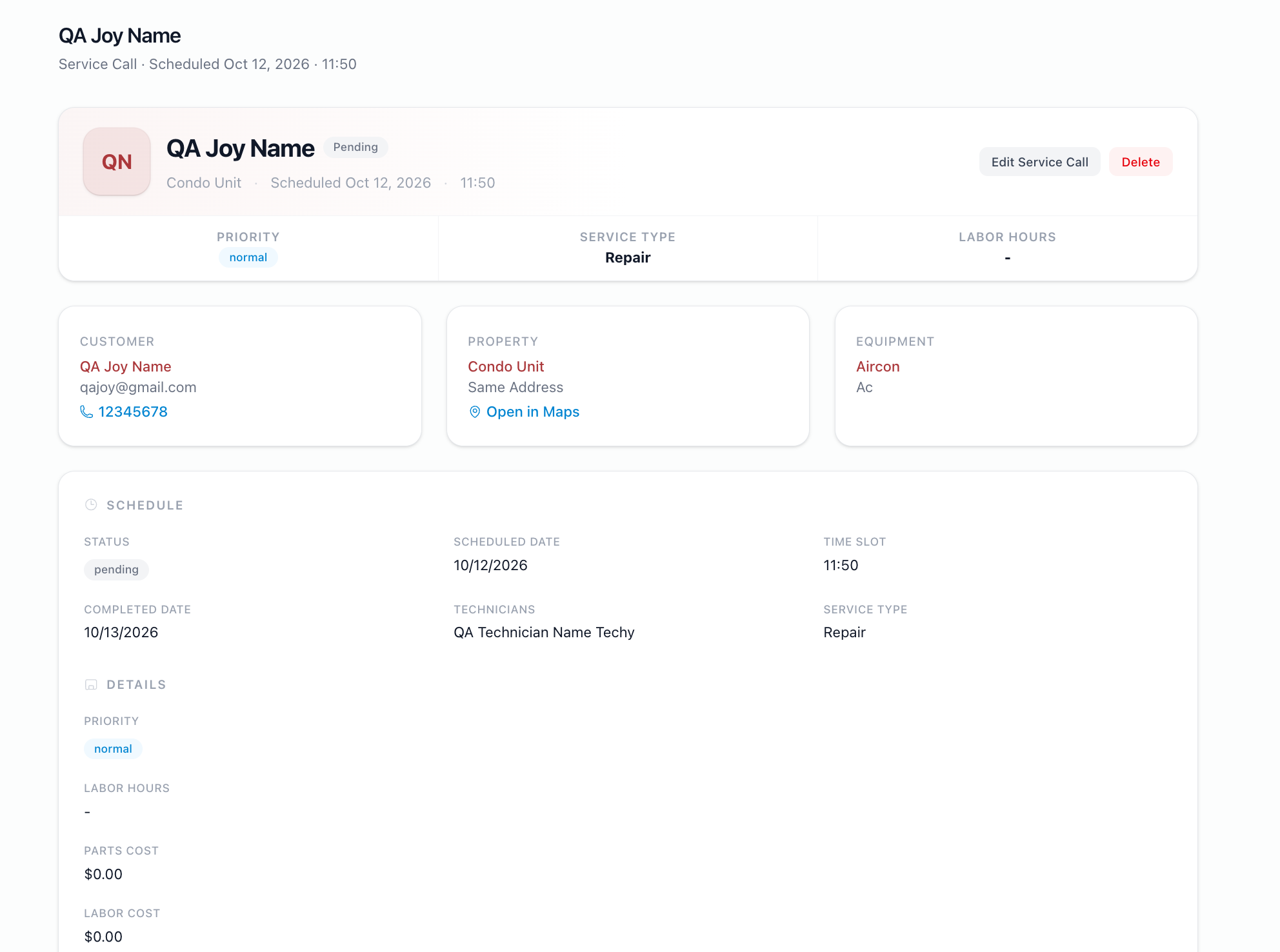
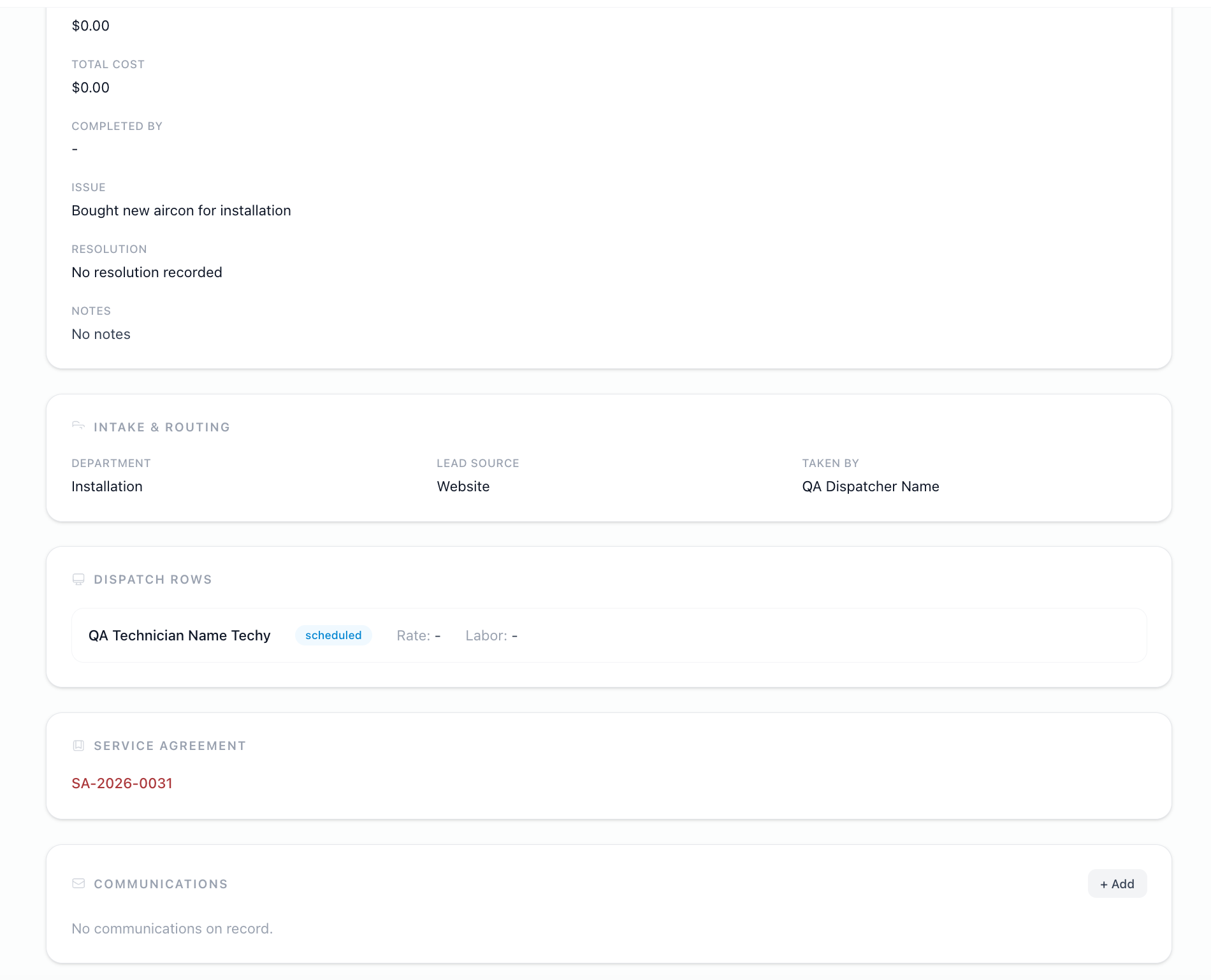
- File Screenshot 2026-10-09 at 5.49.34 PM.png Screenshot 2026-10-09 at 5.49.34 PM.png added
- File Screenshot 2026-10-09 at 5.49.44 PM.png Screenshot 2026-10-09 at 5.49.44 PM.png added
- File Screen Recording 2026-10-09 at 5.47.46 PM.mov Screen Recording 2026-10-09 at 5.47.46 PM.mov added
- Status changed from QA to Complete
QA'd this,
I was able to create a service call. Observed that informations under equipment and service agreement are autofilled especially aflter selecting a property. I was not able to save it when there are lacking necessary information. PLease see attached QA video and screenshots for reference.
Actions