Feature #8463
closedService call list + filters
100%
Description
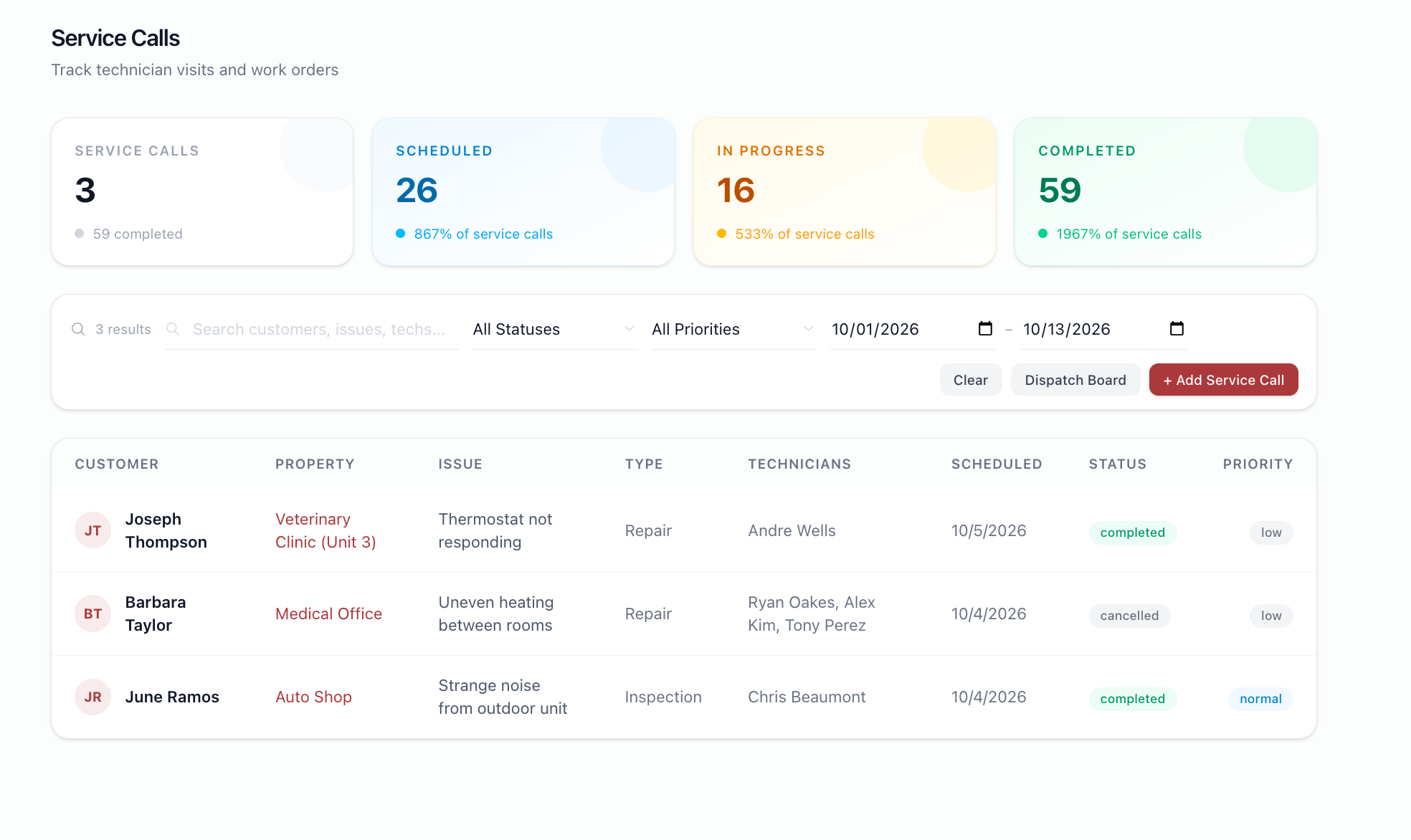
Filters by status, priority, customer, technician, and date range. Table shows date, customer, property, type, status, priority, techs. Record click → detail.
Files
BS Updated by Brian Jay Sio 25 days ago
- Target version set to Version 3.0 — Service Calls, Service Agreement
BS Updated by Brian Jay Sio 15 days ago
- Status changed from To Do to UAT
- % Done changed from 0 to 100
Testing Steps:
- Go to https://mowery-web.fxprofessionalservices.com/
- Click Service Calls
- On the list view there is a search bar and filters
Acceptance Criteria:
- The records responds to the search criteria entered, filtered data
IQ Updated by Irish Quilla 8 days ago
- Status changed from UAT to QA
JL Updated by Joy Llenos 7 days ago
- File Screenshot 2026-10-09 at 5.56.07 PM.png Screenshot 2026-10-09 at 5.56.07 PM.png added
- File Screenshot 2026-10-09 at 6.00.44 PM.png Screenshot 2026-10-09 at 6.00.44 PM.png added
- File Screenshot 2026-10-09 at 6.01.06 PM.png Screenshot 2026-10-09 at 6.01.06 PM.png added
- File Screenshot 2026-10-09 at 6.02.14 PM.png Screenshot 2026-10-09 at 6.02.14 PM.png added
- File Screenshot 2026-10-09 at 6.02.55 PM.png Screenshot 2026-10-09 at 6.02.55 PM.png added
- File Screen Recording 2026-10-09 at 5.54.17 PM.mov Screen Recording 2026-10-09 at 5.54.17 PM.mov added
QA'd this,
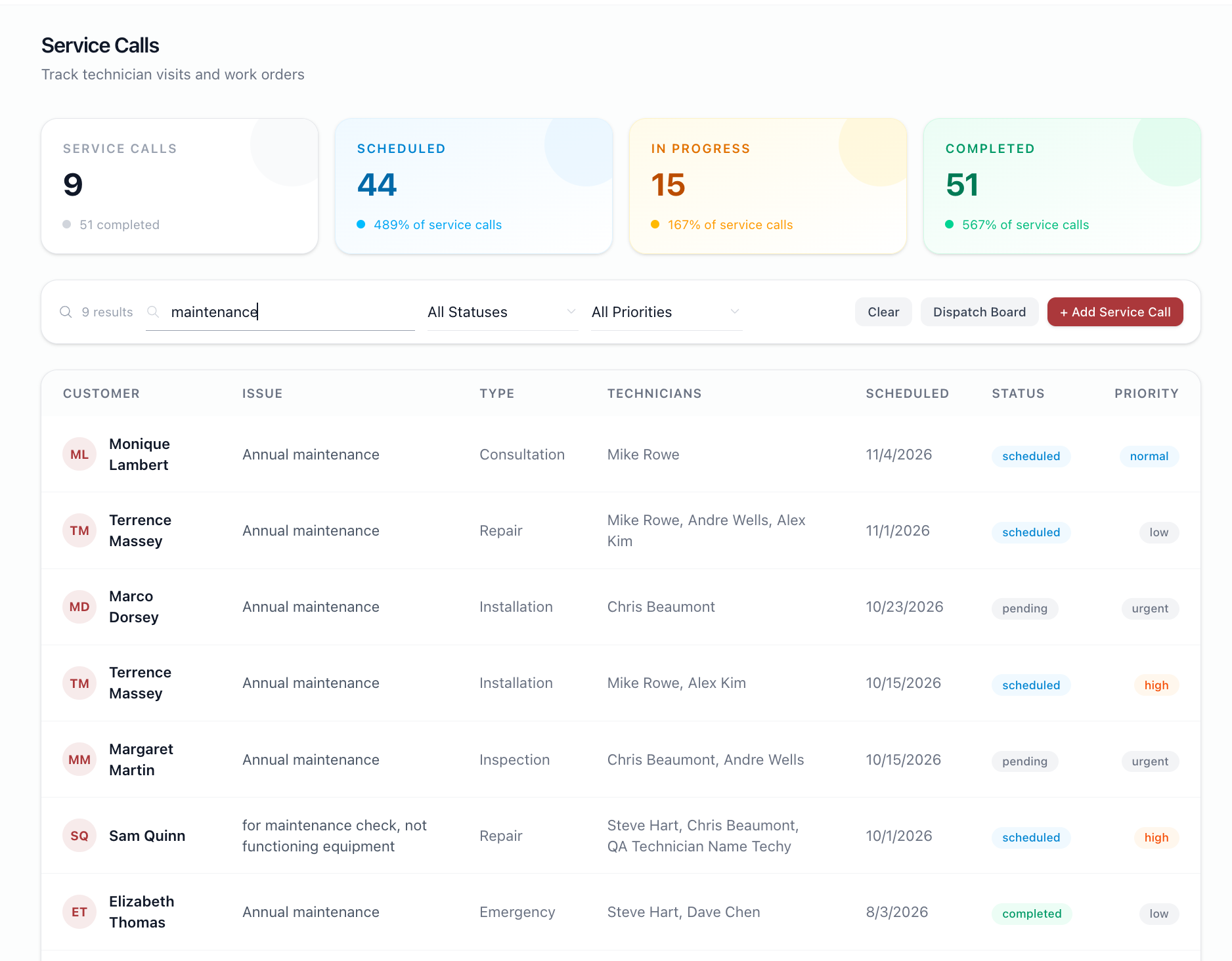
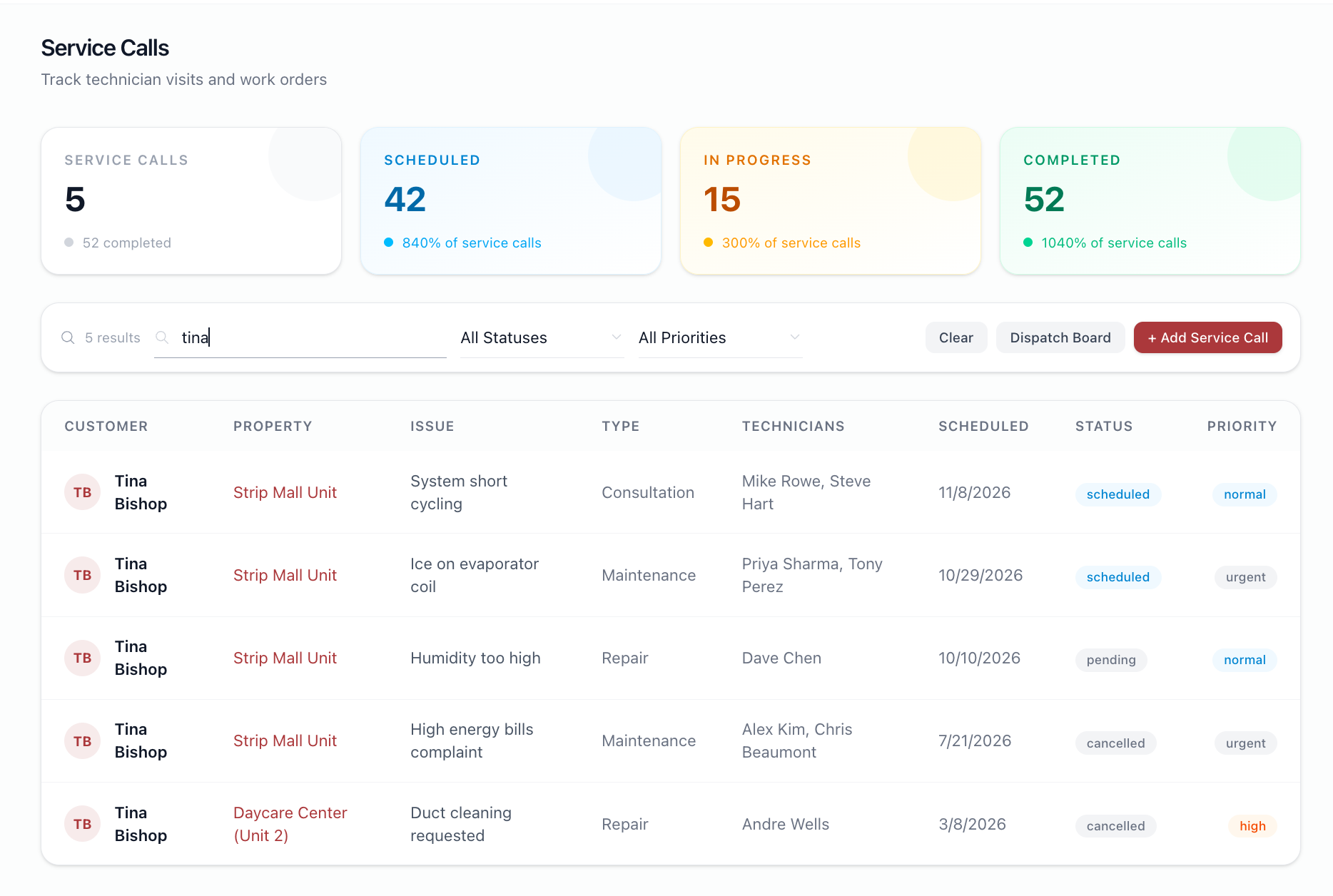
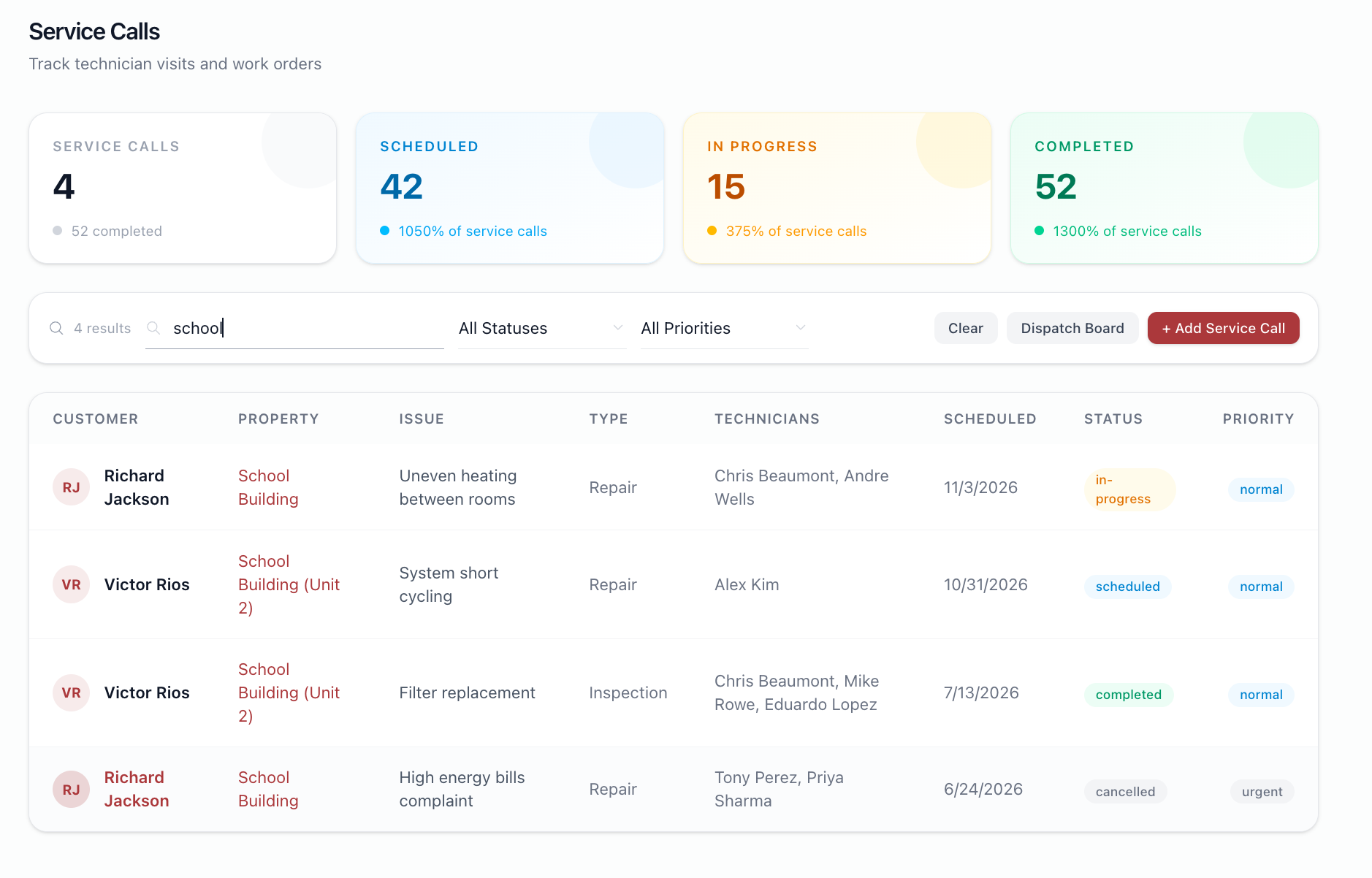
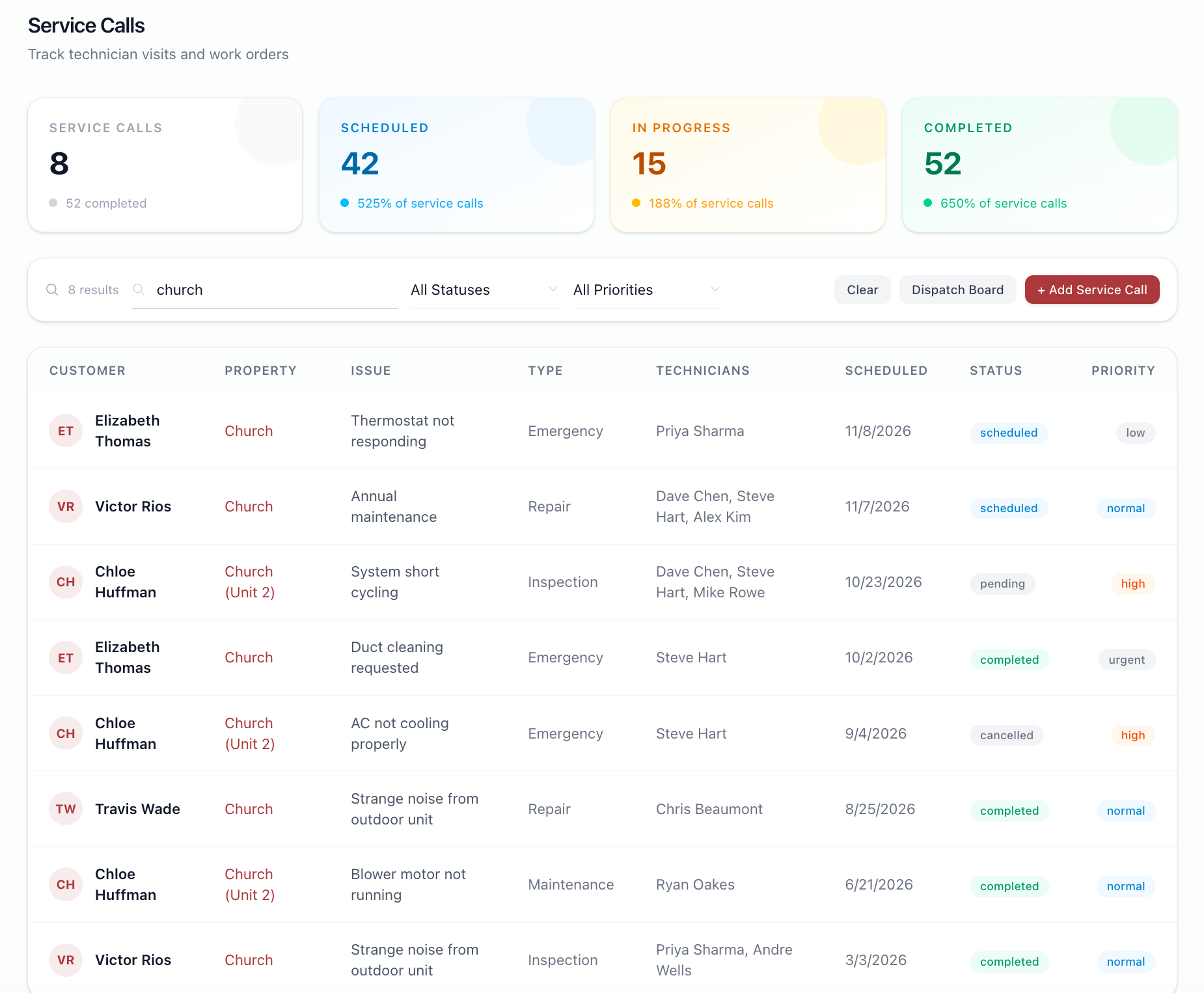
The filtering by status and priority is working well.
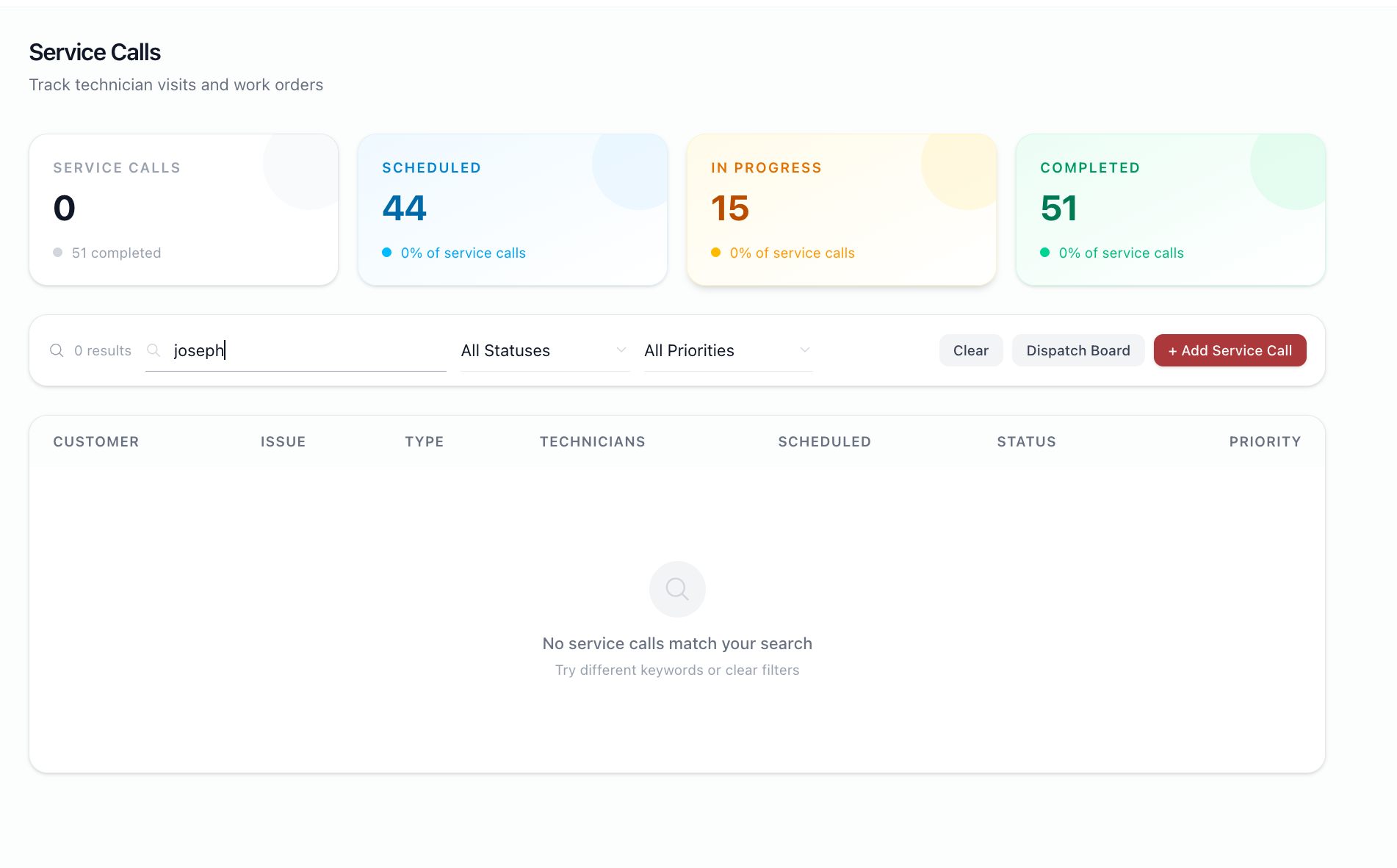
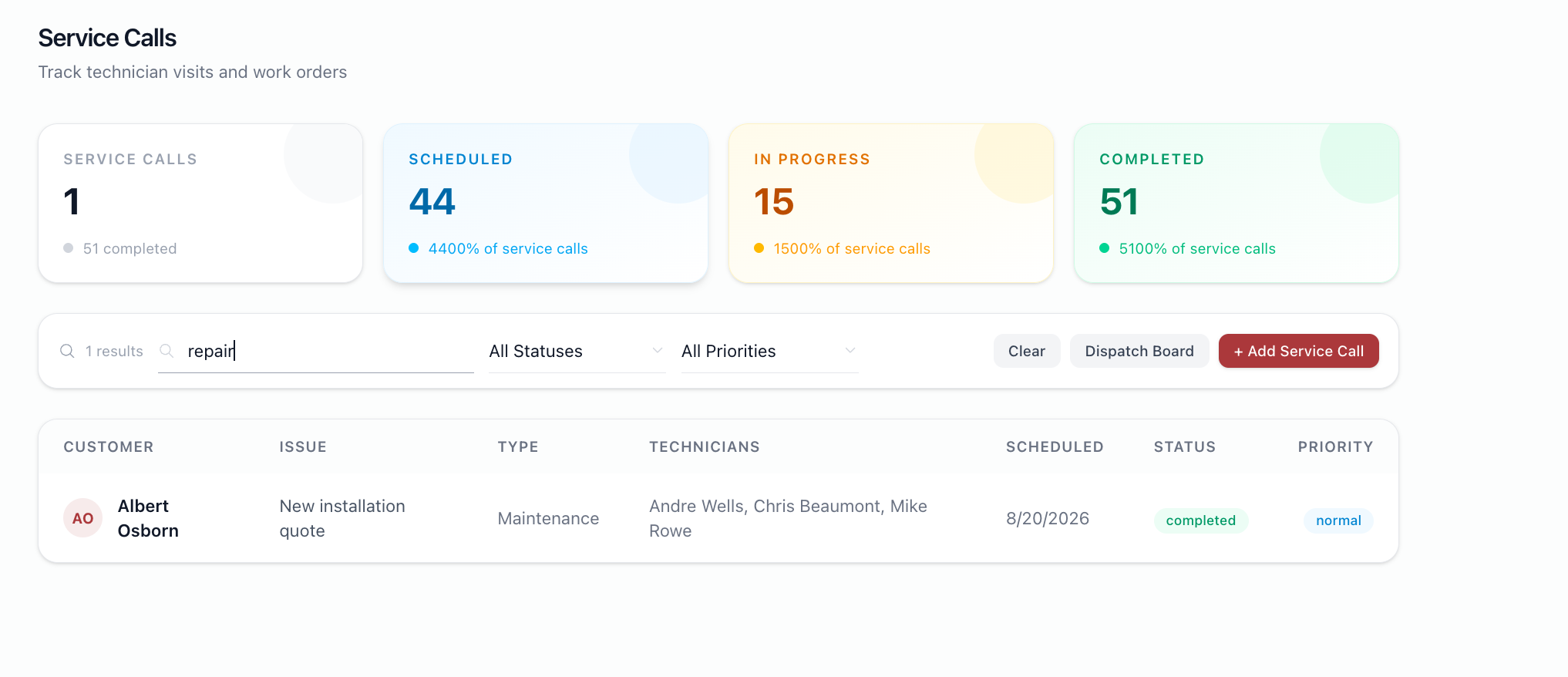
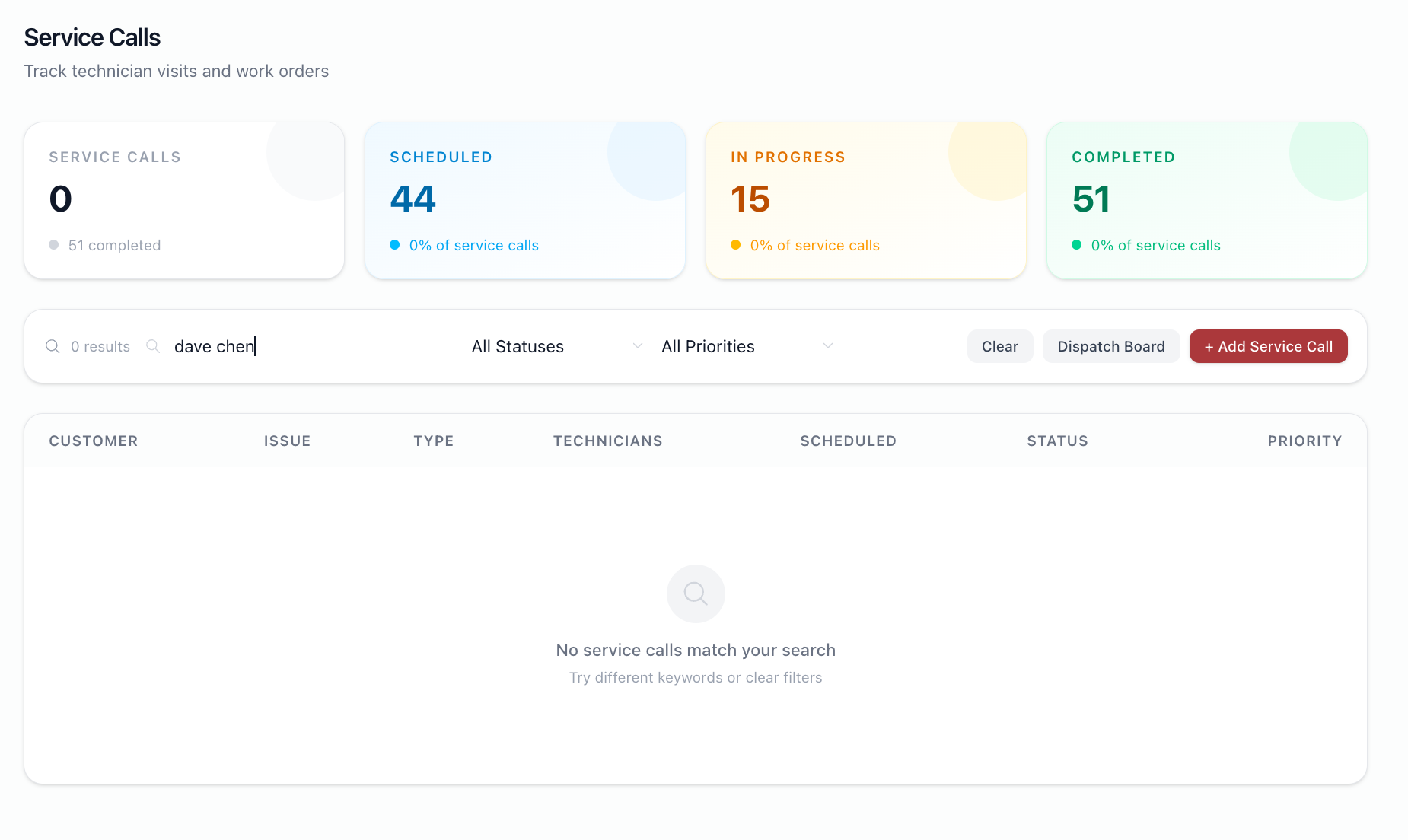
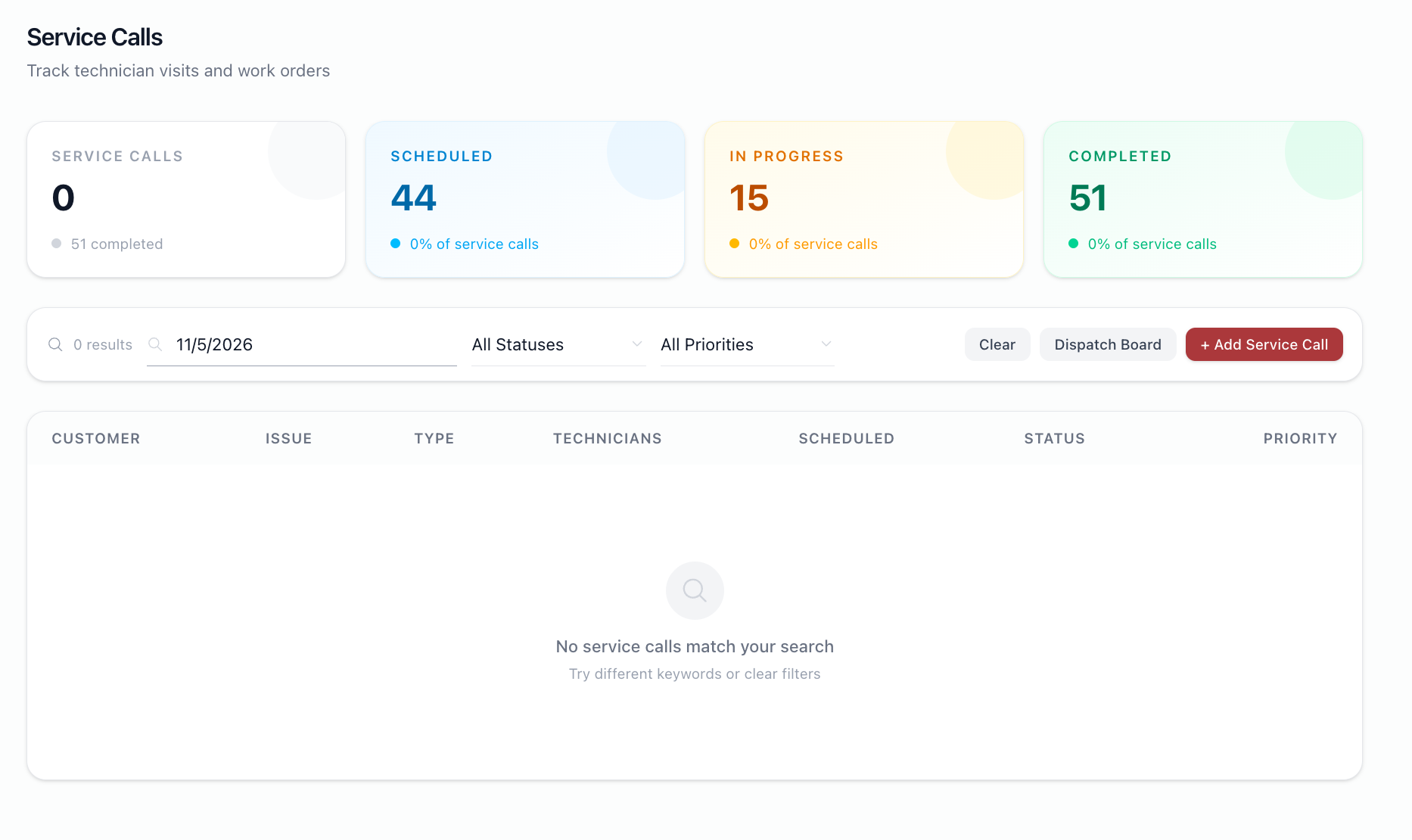
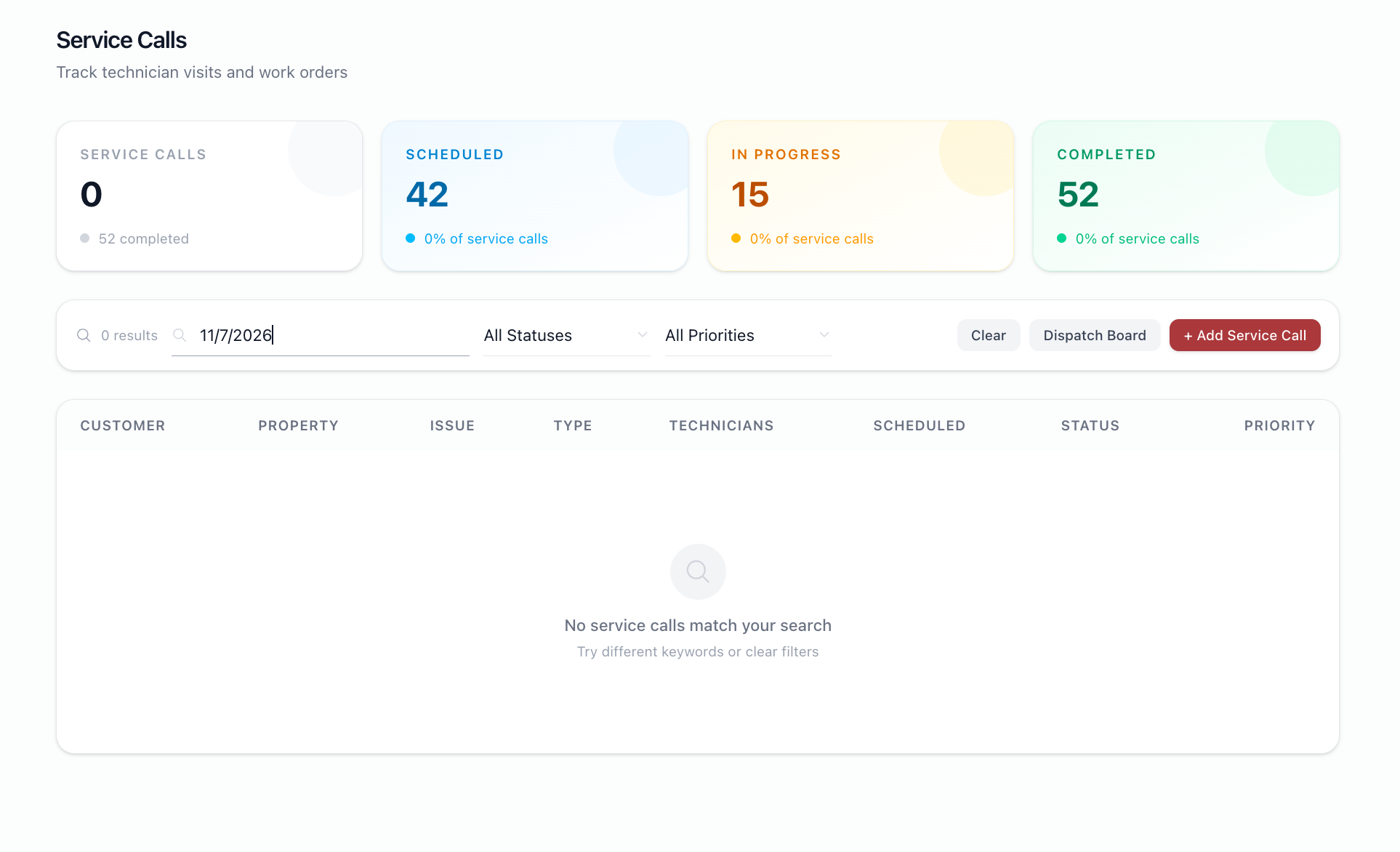
Observed that the serach bar is not searching by customer, type, techinician, and date.
Please see qa video and screenshots.
BS Updated by Brian Jay Sio 7 days ago
Hello
Thanks for checking, fix applied.
Customer and Property are now searchable
JL Updated by Joy Llenos 7 days ago
- File Screenshot 2026-10-09 at 11.23.28 PM.png Screenshot 2026-10-09 at 11.23.28 PM.png added
- File Screenshot 2026-10-09 at 11.23.46 PM.png Screenshot 2026-10-09 at 11.23.46 PM.png added
- File Screenshot 2026-10-09 at 11.24.04 PM.png Screenshot 2026-10-09 at 11.24.04 PM.png added
- File Screenshot 2026-10-09 at 11.31.07 PM.png Screenshot 2026-10-09 at 11.31.07 PM.png added
Looked into it again, and this is to confirm that the customer and property is searchable.
But how about the date range? In the description the date range is included in the 'filter' feature
JL Updated by Joy Llenos 3 days ago
- File Screenshot 2026-10-13 at 5.27.51 PM.png Screenshot 2026-10-13 at 5.27.51 PM.png added
- Status changed from QA to Complete
THis is to confirm that the user can now seach by date range. Please see attached screenshot.